Clickable is now on the Chrome Web Store
Clickable is now on the Chrome Web Store: add it to Chrome, sign in with your email, and Clicky shows you where to click on any website.
Key points
- Clickable can now be installed from the Chrome Web Store.
- You say what you want to do; Clicky highlights the next thing to click. You do every step yourself.
- The free plan includes 3 tasks a month; Plus gives you 150 for €7.99 a month.
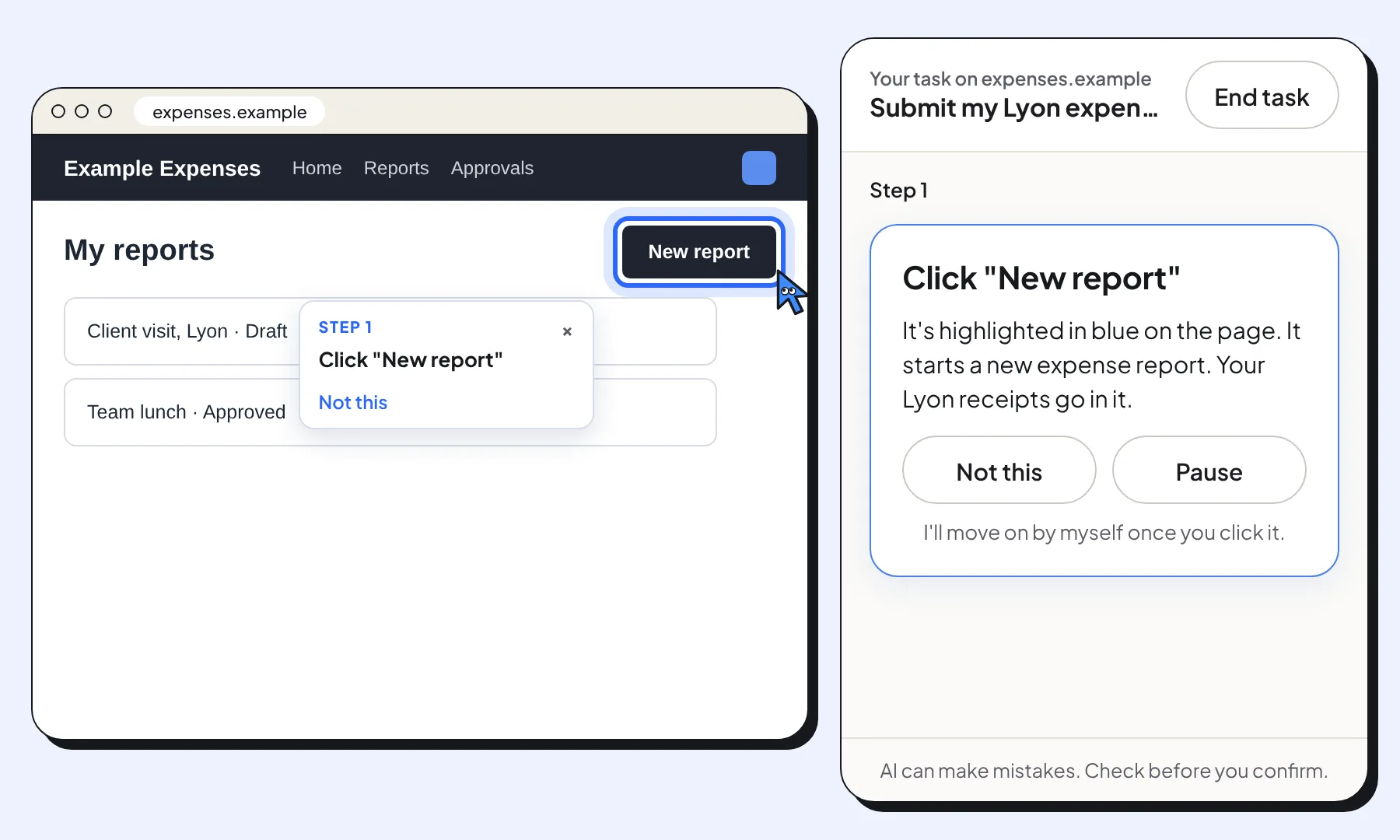
Clickable is now on the Chrome Web Store. Add it to Chrome, tell it what you want to do on a website, and Clicky, the blue pointer, shows you the next thing to click.
Why it matters
Many websites are hard to use: forms with unclear buttons, menus inside menus, appointment systems that change every few months. Clickable reads the page you’re on and points at one thing at a time, with a short instruction. When it isn’t sure, it asks you instead of guessing.
You stay in control. Clickable never clicks, types or submits anything for you, and it never sends your passwords or what you type into forms. It pauses on sign-in pages, so you sign in yourself.
How to get it
- Press Add to Chrome on useclickable.com, then Add to Chrome in the store.
- Pin Clickable to the toolbar and click its icon to open the panel.
- Sign in with your email and the 6-digit code we send you, and type what you want to do.
The free plan includes 3 tasks a month. If you need more, Plus gives you 150 tasks a month for €7.99. The step-by-step install guide has more detail.
About Clickable
Clickable is a free Chrome extension that shows people where to click on any website, one step at a time. You ask in your own words and Clicky highlights the next thing to click. You make every click yourself: Clickable never clicks, types or pays for you.
Questions about this news
Is Clickable free?
Yes. The free plan includes 3 guided tasks a month. Plus gives you 150 tasks a month and a more powerful guide for complex and slow sites, for €7.99 a month, VAT included.
Does it work on my phone?
Not yet. Clickable works in Google Chrome on a computer: Windows, Mac, Linux and Chromebooks.