Accelerate onboarding across every web application
Why learning new work software costs more than it looks, why recorded walkthroughs go stale, and how live step-by-step guidance helps people on any web app.
Key points
- Most "how do I…?" questions end up as an interruption, a ticket, an outdated wiki page or a guess.
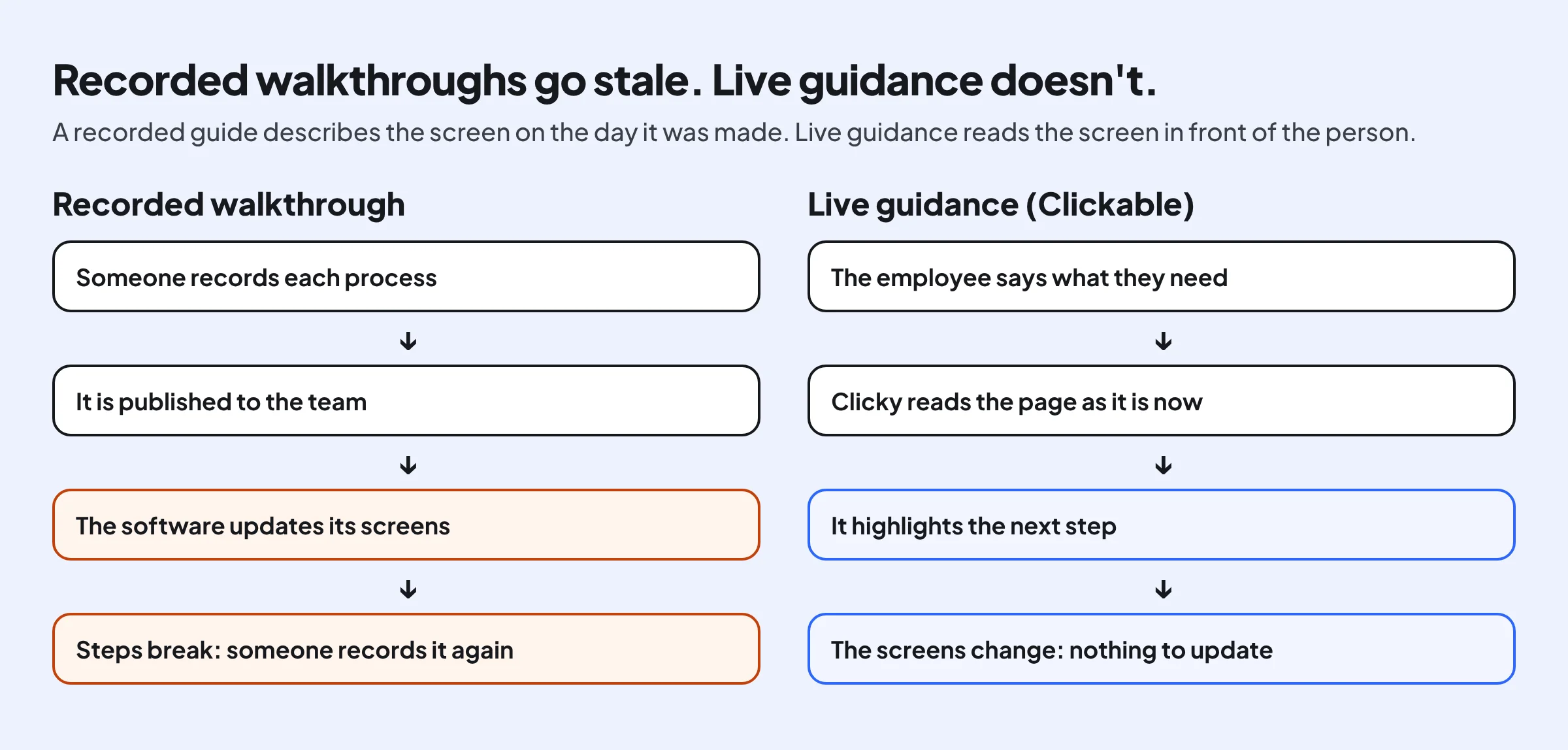
- Recorded walkthroughs describe yesterday's screens. Live guidance reads the screen in front of the person.
- A short pilot with a before-and-after ticket count shows whether it works for your team.
New software usually arrives with a launch email, a training session and a wiki page. Then the real questions start: where is the button, which option is right, why did the form not save. This post looks at where those questions go today, why recorded walkthroughs only partly solve them, and what live, step-by-step guidance changes.
Why software onboarding costs more than it looks
A question about a button rarely gets logged as a cost. It shows up as a colleague interrupted, a ticket in a queue, time spent searching a wiki, or a mistake fixed later.
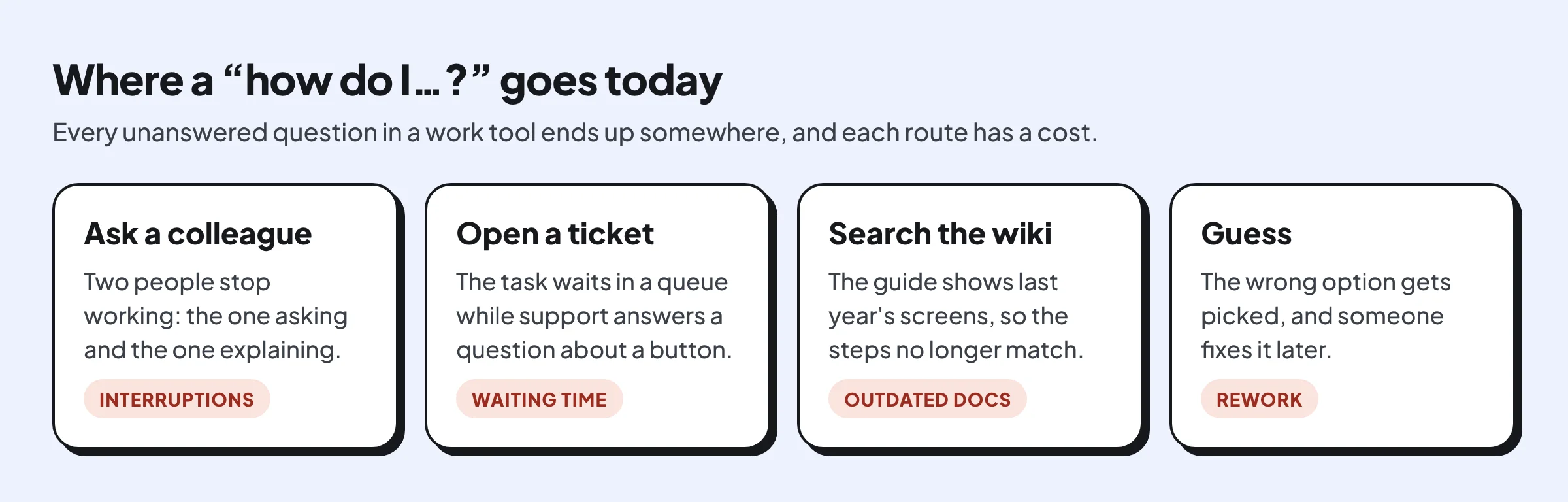
These costs grow with every new tool and every new hire. They are highest in the tools people use only now and then, such as expense reports, time-off requests and procurement forms, because nobody remembers the steps between one use and the next.
Why recorded walkthroughs go stale
Digital adoption tools let a team record a walkthrough of each process and replay it as an overlay. That helps, but someone has to record every process, and every update to the software can break the steps.
What live, step-by-step guidance looks like
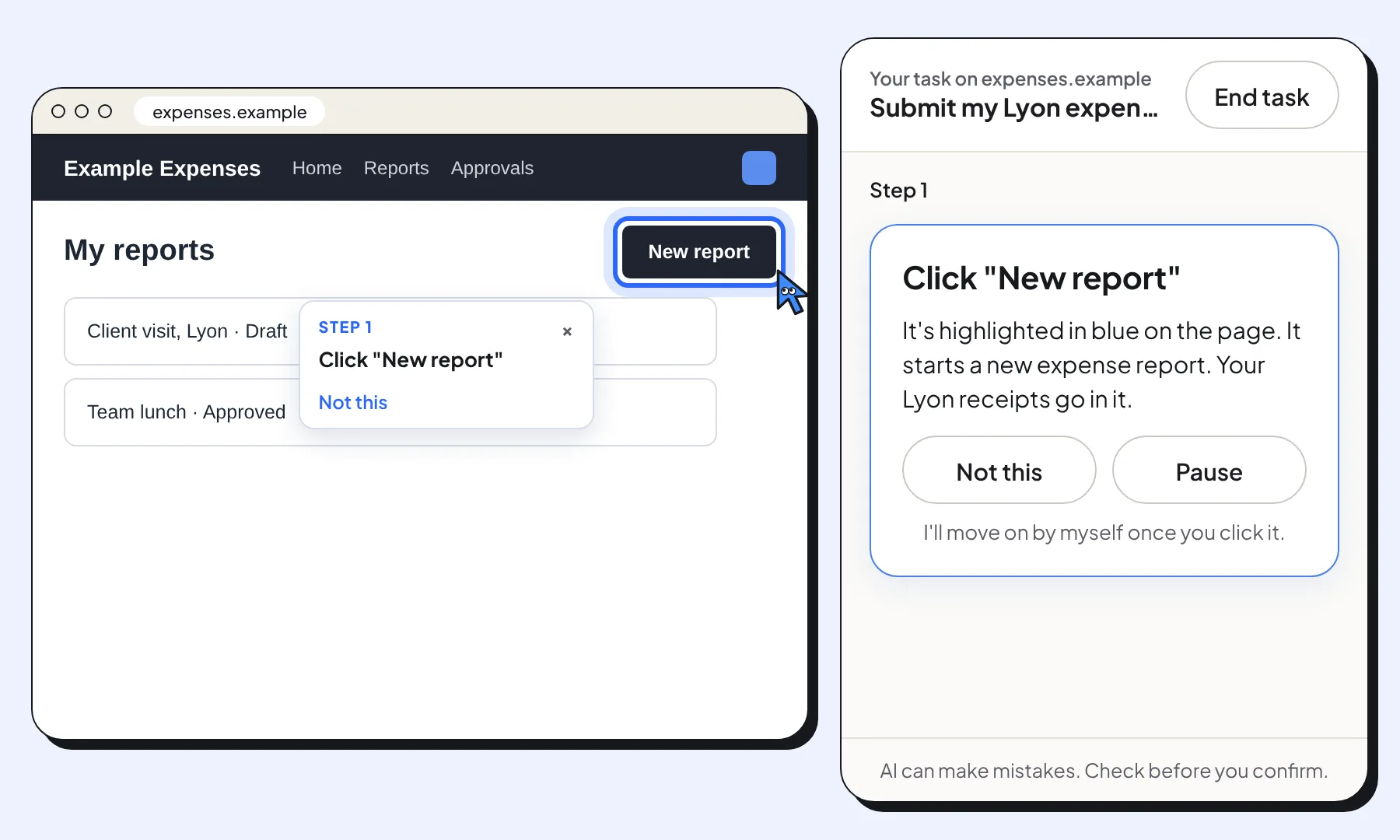
With Clickable, the employee opens the side panel in Chrome and says what they need in their own words, for example “submit my Lyon expenses”. Clicky reads the page, rings the next thing to click and explains it in one short line. When the page changes, it looks again.
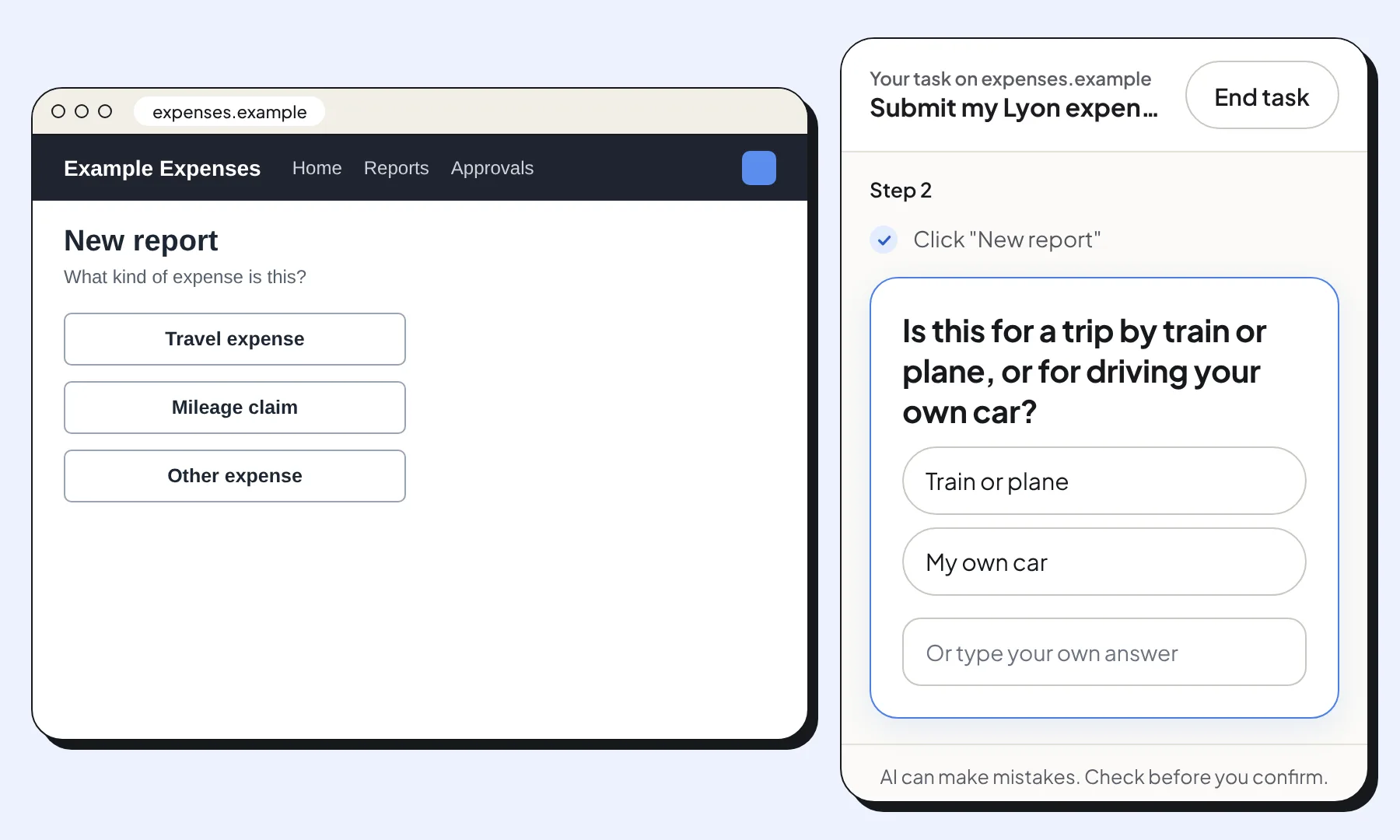
It asks instead of guessing
Many work tools offer options with almost the same name. When the right choice depends on the person’s situation, Clicky asks a short question first.
It recovers when a suggestion is wrong
If Clicky points at the wrong thing, the employee presses Not this. The step is marked as skipped and Clicky looks for a better match on the same page.
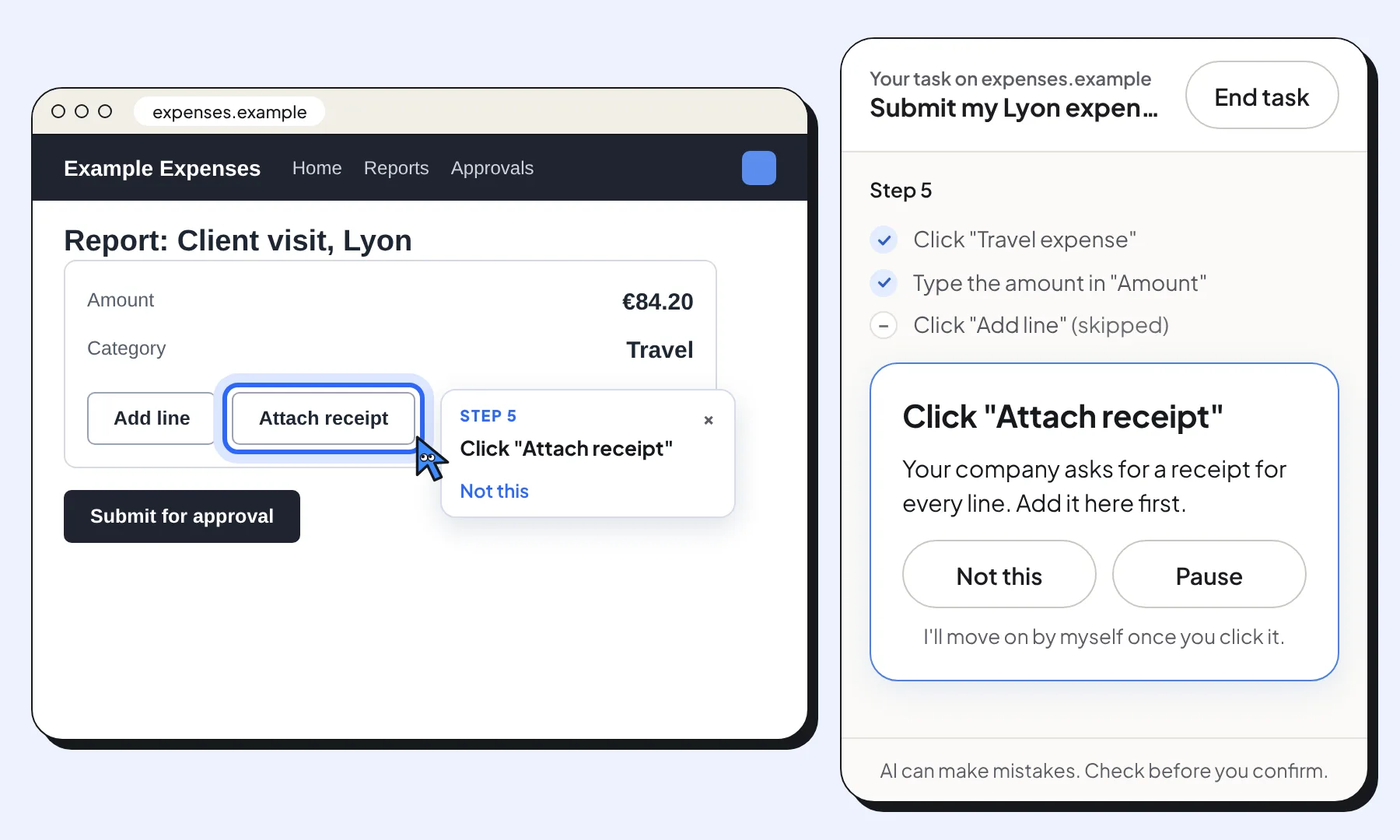
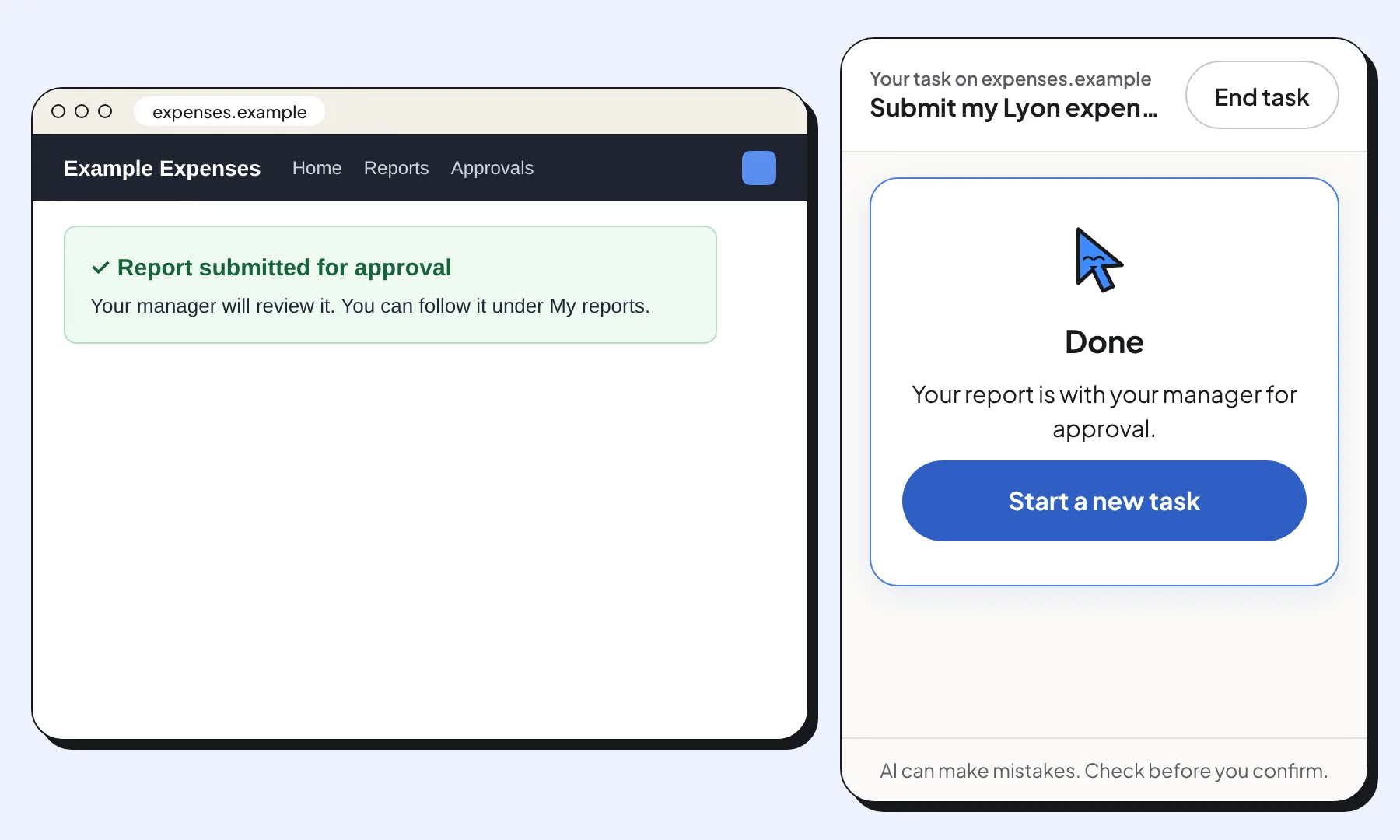
The employee finishes the task themselves
Every click, every value typed and every submission is the employee’s. Clicky never acts for them, which matters most in finance, HR and other tools where a wrong click has consequences.
How the options compare
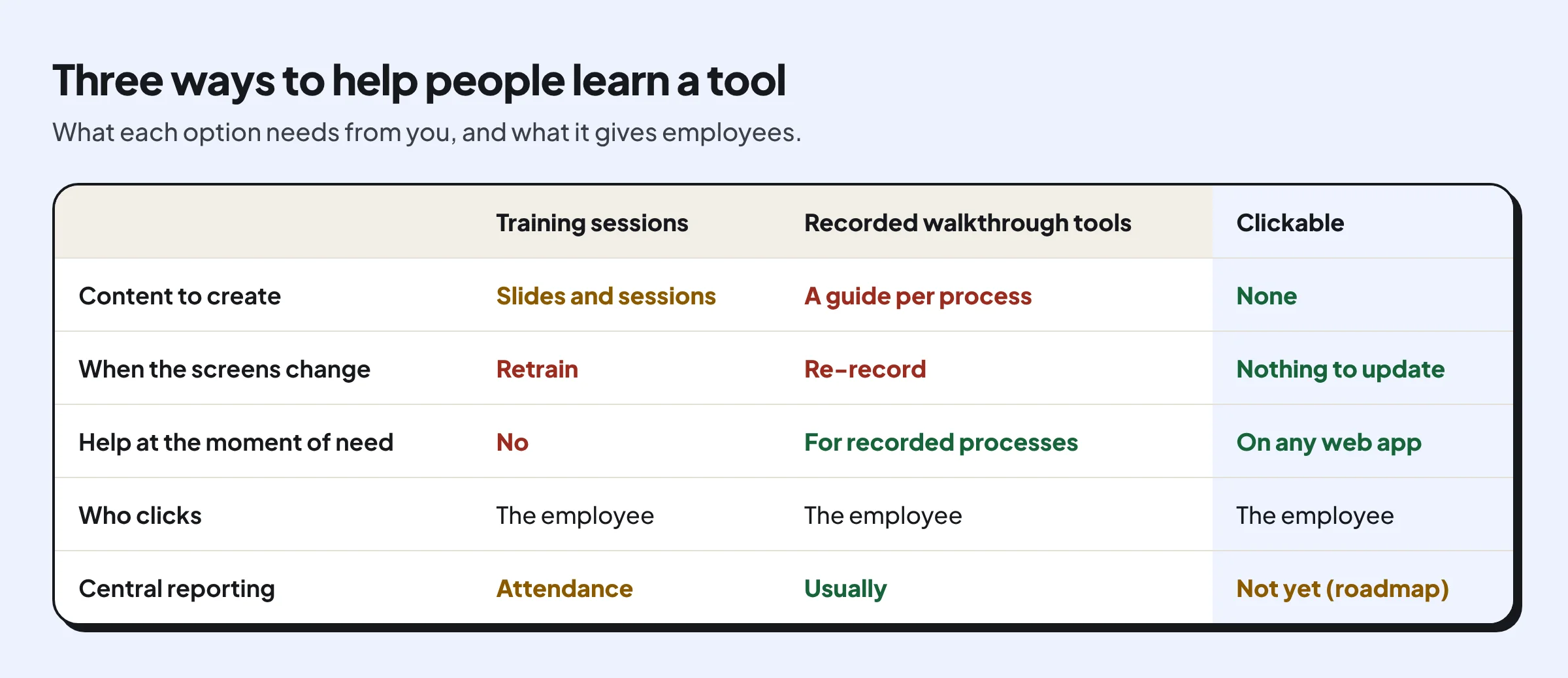
Training sessions, recorded walkthroughs and live guidance each have a place. The difference is how much content they need and how well they keep up with changing screens.
What it reads, and what it never sends
IT and security teams usually ask this first. Clickable reads a page only when someone asks for help, and only what it needs to find the next step.
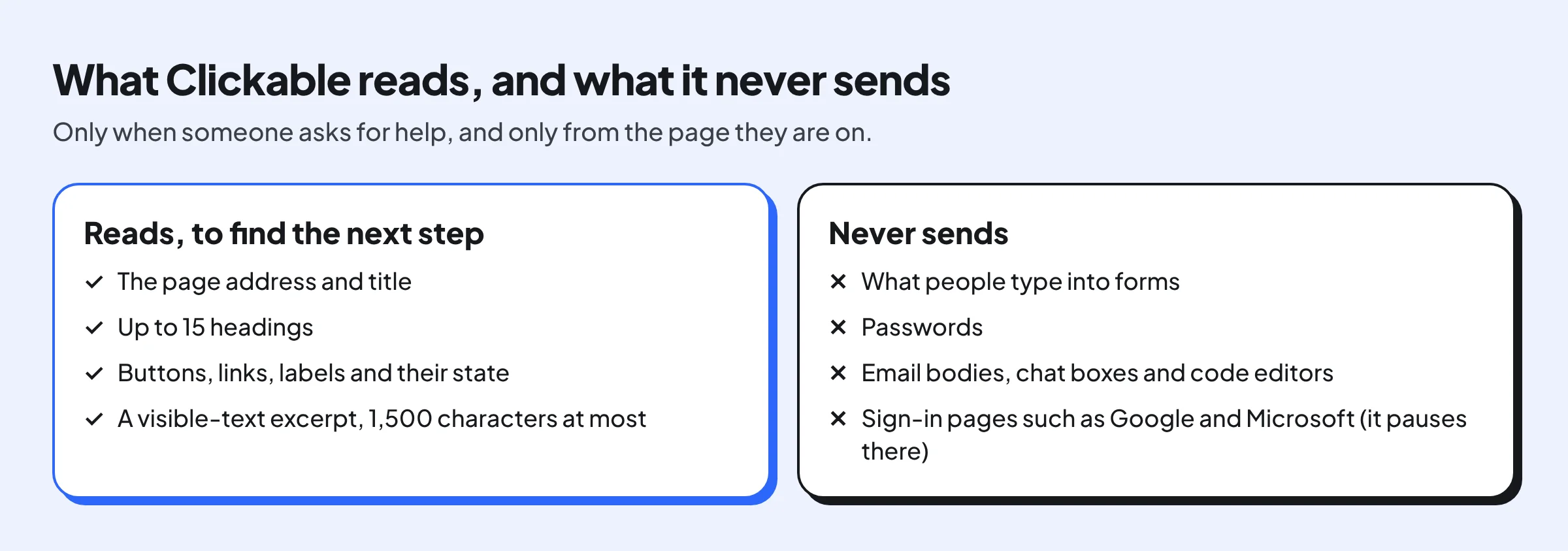
The privacy policy lists the providers and retention periods, and the rollout guide explains what IT can and can’t control.
How to run a pilot that proves the savings
The honest way to know whether it saves time is to measure it on one team. Count first, then compare.
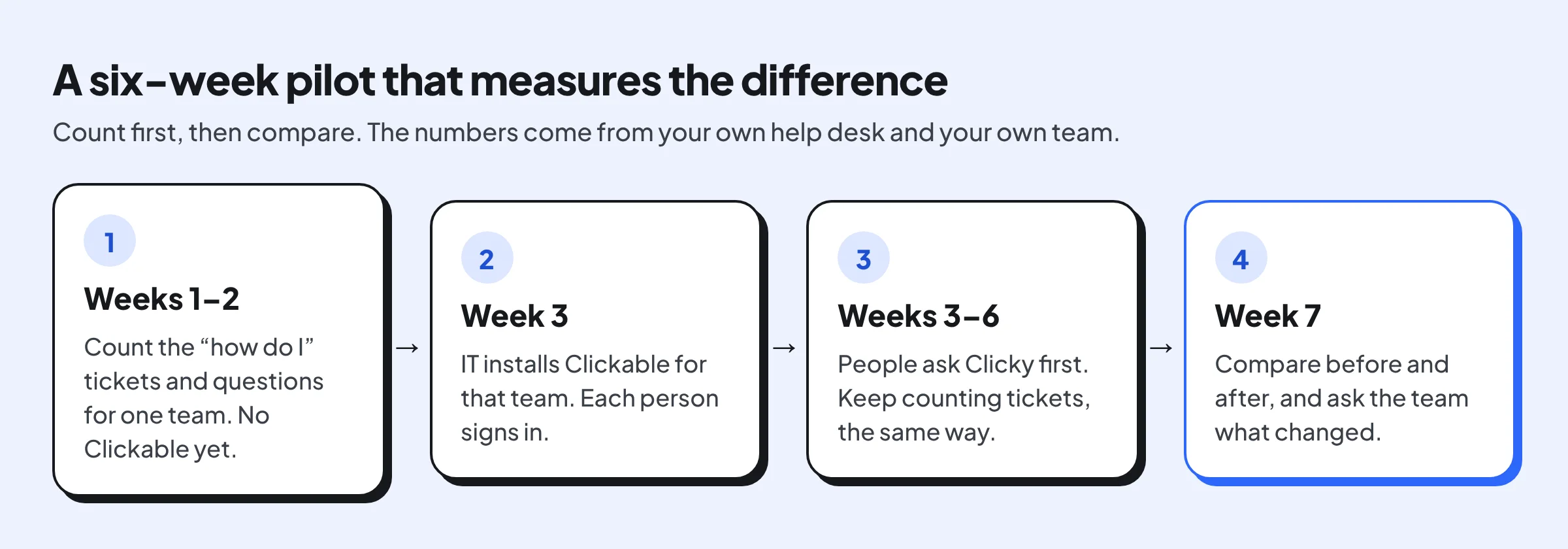
Where to start
- See Clickable on common work tools: submit an expense report in Concur and request time off in Workday.
- Roll it out to a team with Chrome’s admin policies: the team rollout guide.
- Read how it helps new hires: Clickable for employee onboarding.
- Plan a pilot with us: Clickable for teams.
About Clickable
Clickable is a free Chrome extension that shows people where to click on any website, one step at a time. You ask in your own words and Clicky highlights the next thing to click. You make every click yourself: Clickable never clicks, types or pays for you.
Questions about this news
Do we need to create any content before people can use it?
No. Clickable reads the page someone is on when they ask for help, so there are no walkthroughs to record or keep up to date.
Does it work on our internal tools?
It works on most web applications in Chrome, including internal ones. It doesn't yet read content inside embedded frames, so a few apps work only partly.
Can it do the task for employees?
No. Clickable highlights the next step and the employee makes every click. It never types, submits or approves anything.
How do we roll it out?
IT can install it for a whole team with Chrome's admin policies, and each person signs in once. The rollout guide has the steps.